Nine Fives
POE-SP4T-6G
POE-SP4T-6G
Couldn't load pickup availability
The POE-SP4T-6G is an Ethernet-controlled single-pole, four-throw RF switch for selecting between four test paths over 100 kHz–6 GHz. Route the common port to RF0, RF1, RF2, or RF3 from the touchscreen, a browser, a REST API, or SCPI. Power the standalone module over IEEE 802.3af PoE or USB-C.
RF specifications
| Parameter | Specification |
|---|---|
| Operating frequency | 100 kHz–6 GHz |
| RF impedance | 50 Ω |
| Topology | SP4T: COM to RF0, RF1, RF2, or RF3 |
| RF connectors | 5 × SMA female |
| Insertion loss, selected path, up to 4 GHz | 1 dB typical; 2 dB maximum |
| Insertion loss, selected path, 4–6 GHz | 1 dB typical; 3 dB maximum |
| Isolation, unselected path | 32 dB minimum; 45 dB typical |
| Published switching time | 15 ms typical; 25 ms maximum (datasheet rev 2.0.0; not network round-trip time) |
| Power options | IEEE 802.3af PoE or 5 V USB-C |
| Network interfaces | RJ45 Ethernet and Ethernet over USB-C |
| Control interfaces | Touchscreen; browser and REST API (HTTP port 80); SCPI over TCP (5025) or HiSLIP (4880) |
The insertion-loss and isolation figures are specified RF characteristics, not claims that every cable or test setup will achieve the same result. Published switching time is not a guarantee of Ethernet command latency or complete measurement-settling time. See the revision 2.0.0 datasheet in the Documentation section for full conditions and response plots. Its older DC frequency wording is superseded by the current 100 kHz lower operating limit.
Select one of four RF paths
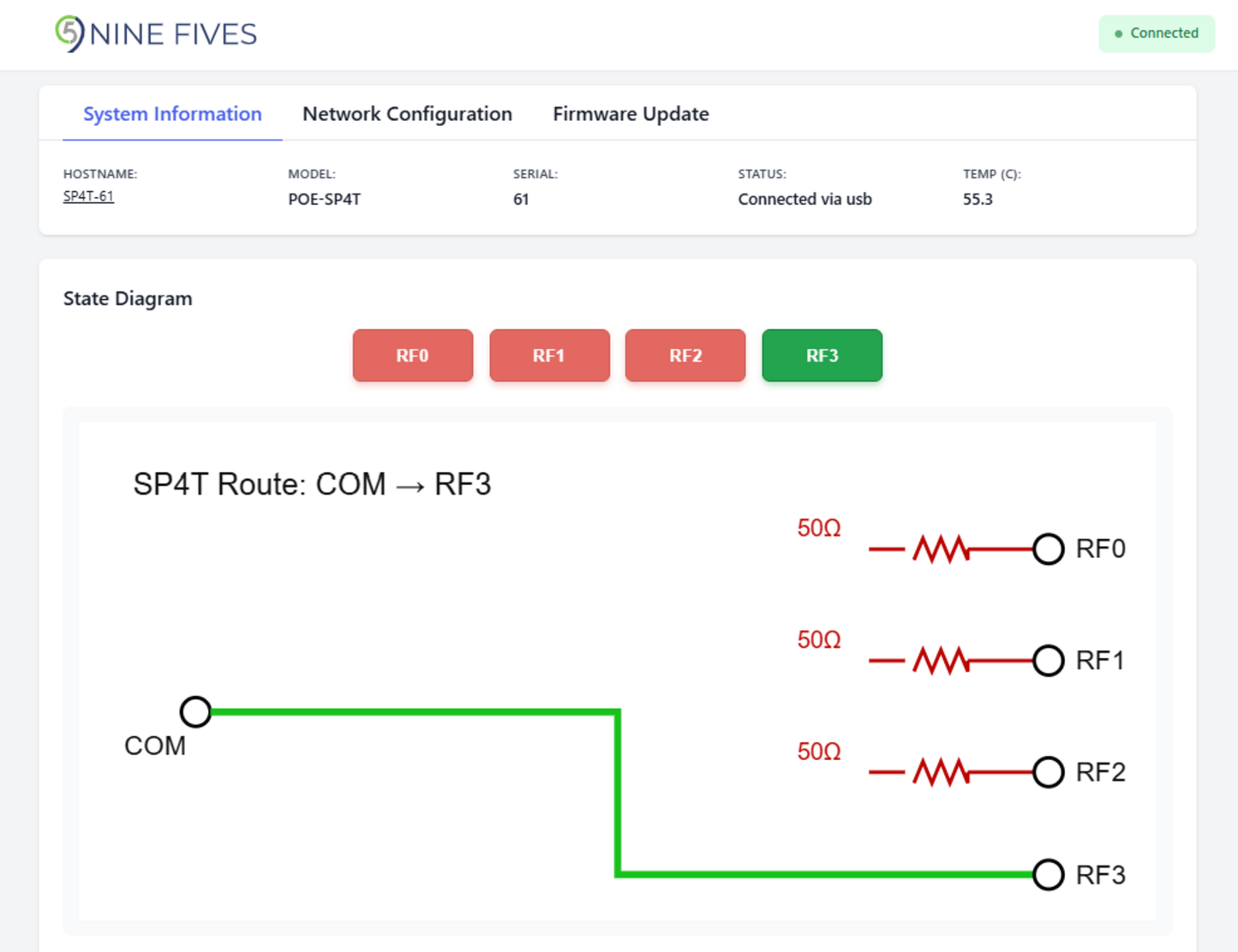
States 0, 1, 2, and 3 route COM to the corresponding numbered RF port. The control interface selects one throw at a time and does not provide an all-open state. Use this module to select between four devices, antennas, or reference paths; it does not combine signals or connect all throws simultaneously.
Compare the POE-SPDT-6G and the SPDT-versus-SP4T selection guide before choosing your topology. Confirm the permissible through-path and unselected-port power for your application with Nine Fives. An absolute-maximum rating is a damage limit, not a recommended operating level or a hot-switching rating.
Connect directly to a computer or laboratory network
A PD8X chassis is not required. PoE provides power and Ethernet communication through one cable. Alternatively, USB-C supplies power and exposes a network interface to the host computer. Non-PoE Ethernet can be used with a separate USB-C power source.
At factory defaults, Ethernet requests DHCP and falls back to 192.168.0.95 after 30 seconds without a DHCP response. The USB-C interface uses 192.168.42.95. See the setup guide for network configuration.
Automate RF path selection
The web interface and REST API use port 80. SCPI is available over raw TCP on port 5025 and HiSLIP on port 4880. A browser can operate the unit without installing a Nine Fives desktop application.
Read the current route by replacing DEVICE_IP with your unit's address:
curl --fail --max-time 5 http://DEVICE_IP/api/sp4t
The response contains the selected state. For current firmware, use the model-specific /api/sp4t endpoint; /api/switch is retained as a legacy alias. See REST commands and SCPI commands.
Before a measurement, select the route, check the returned state, and allow the settling time required by the entire setup. RF state readback confirms the control setting; it is not a measurement of insertion loss or isolation. For power limits, hot switching, lead time, required accessories, or order-specific support, contact Nine Fives.
Documentation